Article 1 - Program and purpose
This document describes the exact in-app consent flow used by VNUS before sending a one-time authentication code by SMS. The current registered SMS program is limited to OTP authentication. It does not send marketing or promotional messages.
Article 2 - Exact opt-in steps
- The user chooses phone sign-in in the VNUS mobile application.
- On the “Your phone number” screen, the user enters a mobile number.
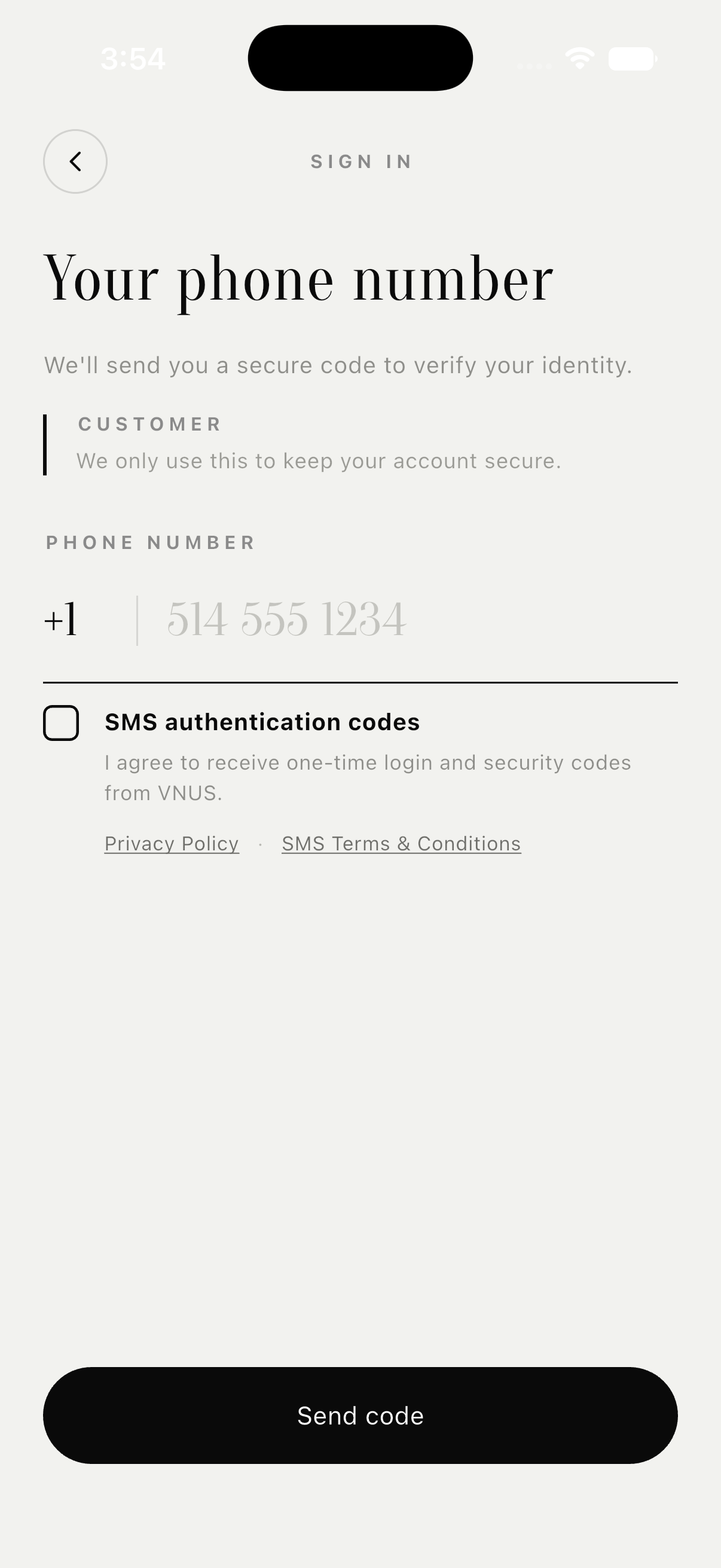
- The user must actively select the “SMS authentication codes” checkbox. The checkbox is unchecked by default.
- VNUS opens a review sheet containing the complete disclosure reproduced below.
- Consent is recorded only after the user taps “I agree.”
- The user can then tap “Send code” to request the OTP.
No SMS authentication request is sent when the checkbox remains unchecked. Apple and email sign-in are available alternatives, so SMS consent is optional, is not a condition of purchase, and is not required to create or access a VNUS account.
Article 3 - Public visual proof of the complete opt-in flow
The screenshots below were captured from the current VNUS mobile application. VNUS uses the same Flutter phone-authentication screen, consent checkbox, review sheet, and disclosure on iOS and Android.
Step 1 - Consent is unchecked by default
The user sees the SMS purpose beside an empty checkbox. The Send code action does not request an SMS while consent remains unchecked.
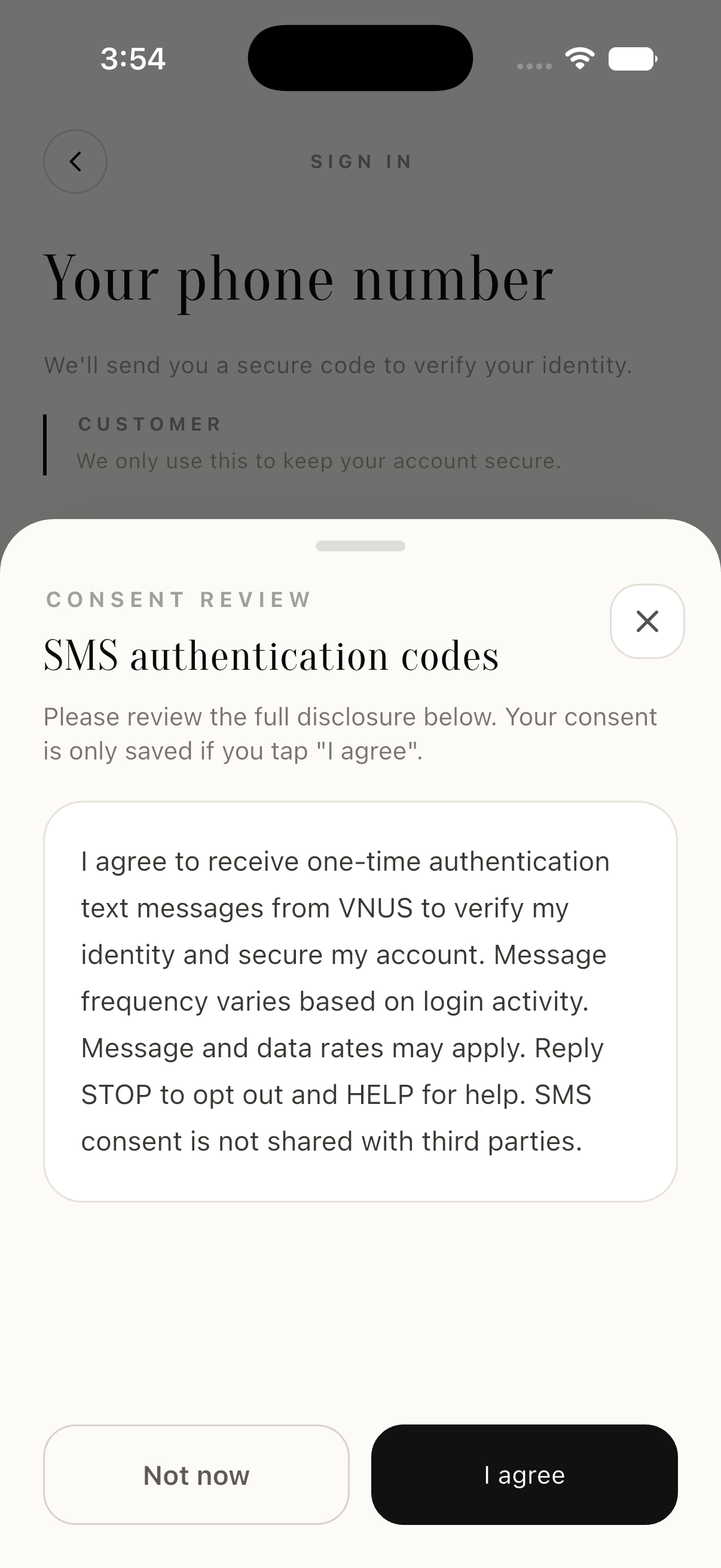
Step 2 - Complete disclosure before consent
Selecting the checkbox opens this review sheet. The user must actively choose I agree; Not now leaves consent unrecorded.
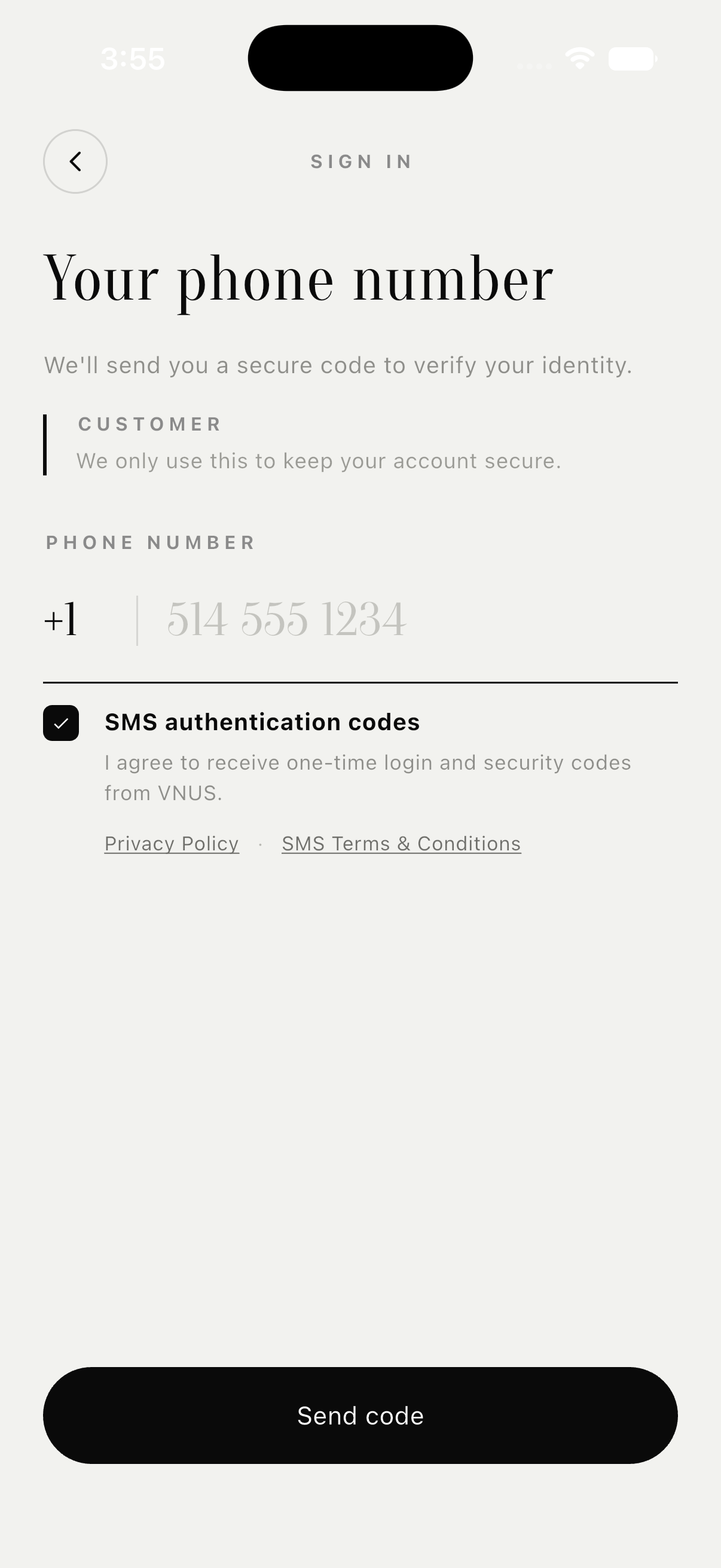
Step 3 - Consent recorded after I agree
Only after the user taps I agree does the checkbox become selected. The user may then request the one-time code with Send code.
Article 4 - Disclosure shown before consent
I agree to receive one-time authentication text messages from VNUS to verify my identity and secure my account. Message frequency varies based on login activity. Message and data rates may apply. Reply STOP to opt out and HELP for help. SMS consent is not shared with third parties.
The inline summary shown next to the unchecked checkbox is:
I agree to receive one-time login and security codes from VNUS.
Article 5 - Data and list practices
VNUS does not use purchased, rented, or third-party contact lists for this program. Mobile numbers and SMS opt-in data are not shared with third parties or affiliates for marketing or promotional purposes. Technical providers may process only the data needed to deliver the OTP and manage STOP or HELP on behalf of VNUS.